01
Observe
Make symptoms, logs, exit codes and the actual state visible.
Docker for developers
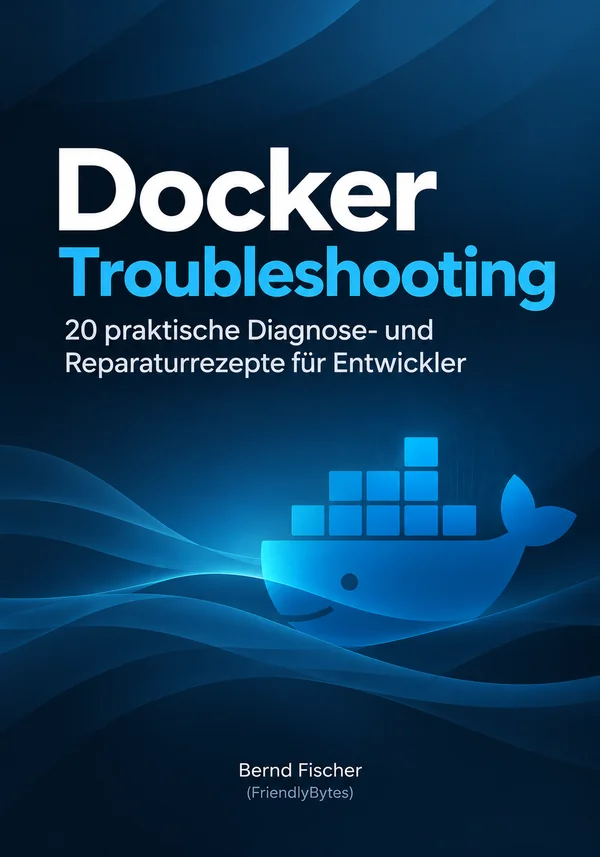
20 practical diagnostic and repair recipes for developers
Stop solving Docker problems through trial and error. This book provides a systematic approach to diagnosing common failures involving containers, networks, volumes, configuration and builds.
The book and sample are currently available in German.
Troubleshooting instead of trial and error
Docker makes development environments, builds and deployments more reproducible. But not automatically easier to understand.
A container exits immediately. A service cannot be reached from the host. Data disappears after a restart. An environment variable contains an unexpected value. A build that was fast yesterday suddenly takes several minutes.
In these situations, trying Docker commands at random rarely helps. What matters is understanding Docker’s actual state and knowing which observation leads to the next useful diagnostic step.
The method
At the heart of this book is a reusable diagnostic process, rather than a catalogue of magical Docker commands.
01
Make symptoms, logs, exit codes and the actual state visible.
02
Form hypotheses and rule out possible causes through targeted checks.
03
Fix the specific cause you have identified instead of performing a blanket cleanup.
04
Check whether the repair has actually solved the original problem.
A look inside the book
An excerpt from the first chapter shows how the recipes are structured: understand the initial situation, make the system’s state visible and only then decide what needs to be done.
Chapter 1 · Diagnose first, then clean up
Docker suddenly takes up 30 or 40 GB on your development machine. The obvious reaction is to look for the most thorough prune command you can find. That is exactly where you should not start.
Docker’s storage usage is spread across several areas: images, containers, volumes and the build cache. Once you identify where the space is being used, you can clean up that specific area.
Before deleting anything, let’s get an overview:
$ docker system df

TYPE            TOTAL   ACTIVE   SIZE      RECLAIMABLE
Images          14      3        8.72GB    6.31GB (72%)
Containers      7       2        1.18GB    824MB (69%)
Local Volumes   6       3        5.44GB    1.90GB (34%)
Build Cache     53      0        11.26GB   8.73GB
This output already answers the most important question: What is using the disk space?
In our example, two areas stand out. Images occupy 8.72 GB, of which Docker classifies 6.31 GB as RECLAIMABLE. The build cache is even larger at 11.26 GB.
The volumes also occupy several gigabytes. That alone is no reason to delete them. A volume might contain the data for our PostgreSQL database, for example.
Reclaimable does not mean worthless
Docker understands technical references, but not the value of your data. Especially with volumes, you should never decide to delete something solely because of a high RECLAIMABLE value.
Excerpt from Chapter 1: “Diagnose first, then clean up”
Contents
20 practical diagnostic and repair recipes take you from typical symptoms to the actual cause.
Chapter 1
When Docker consumes more and more disk space, docker system prune is not automatically the best answer. You will learn to analyse images, containers, volumes and the build cache first, using targeted checks.
Chapter 2
Missing logs, containers that exit immediately, unexpected processes and exit code 137 are investigated step by step.
Chapter 3
Diagnose localhost, service names, listener addresses, container ports and host port mappings with a clear understanding of how they work.
Chapter 4
Understand and reproducibly solve problems at the boundary between the container filesystem, the host filesystem and persistent volumes.
Chapter 5
Distinguish between Compose interpolation, environment variables and the configuration actually present inside the container.
Chapter 6
Use targeted checks to analyse the build cache, layers, build context, Dockerfile instruction order and .dockerignore.
Chapter 7
The individual techniques are brought together into a reusable troubleshooting model that can also be applied to new and previously unfamiliar Docker problems.
Who is it for?
This book is for developers who already use Docker and don’t want to start from scratch every time an error message appears.
You don’t need to be a Docker expert. However, basic knowledge of images, containers and Docker Compose is helpful.
The focus is on Docker Engine, Docker Compose and Docker Build with Linux containers.
A deliberate focus
This book deliberately focuses on the problems developers actually encounter in their day-to-day work with Docker.
Kubernetes, cluster orchestration and large-scale production platforms are outside its scope. Instead, the goal is to diagnose problems in Docker Engine, Docker Compose and Docker Build with confidence.
About the author
I have worked professionally in software development for more than 25 years and as a technical trainer since 2020.
My books and training courses go beyond memorising individual commands. What matters is understanding technical systems well enough to analyse problems systematically and solve them in a way that others can follow.
Docker Troubleshooting
20 practical diagnostic and repair recipes for the Docker problems developers actually encounter in their everyday work.